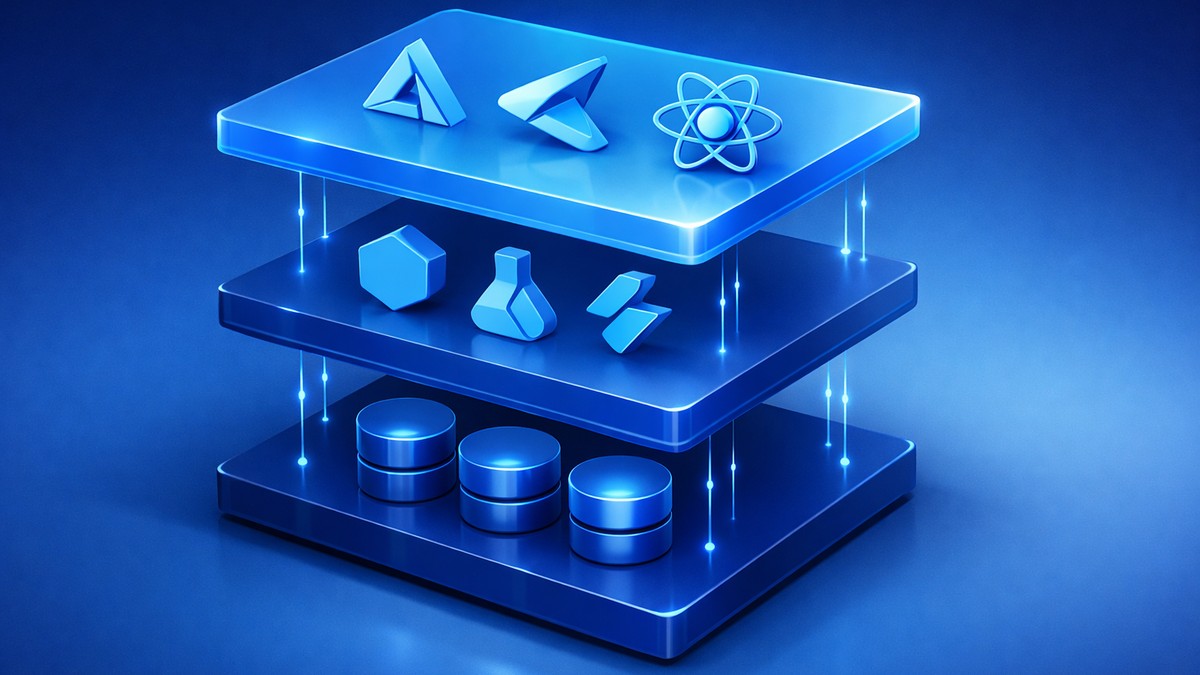
TL;DR — Quick Stack Summary: For most production web apps in 2025/2026, use Astro for Static Site Generation (SSG), TypeScript for type safety, and Tailwind CSS for styling, deployed to Netlify or Vercel. This combination handles roughly 80% of projects — marketing sites, blogs, documentation, and portfolios — with near-instant load times and minimal maintenance. Add Supabase for a database/auth layer once you need dynamic features.
Jump to a section: Stack Philosophy · The Core Stack · Why Astro · Why TypeScript · Why Tailwind CSS · Deployment · Database Choices · API Development · Authentication · Forms & Email · Image Optimization · Analytics · Error Tracking · Testing · When to Deviate · The Evolution Pattern
Stack Philosophy
Technology choices compound over time. Pick tools that:
- Solve actual problems
- Have active communities
- Ship with sensible defaults
- Get out of the way
Avoid tools requiring constant configuration and maintenance.

The Core Stack
Astro - Static site framework designed for Static Site Generation (SSG). TypeScript - Type-safe JavaScript Tailwind CSS - Utility-first CSS Netlify/Vercel - Deployment and hosting
This handles 80% of projects. Adjust for specific requirements.
Why Astro
Astro is a modern static site framework built specifically for Static Site Generation (SSG). It builds the fastest websites by default.
Key advantage: Zero JavaScript by default
Most frameworks ship JavaScript for everything. Astro ships HTML and CSS. JavaScript is opt-in.
Result: Pages load instantly. Lighthouse scores consistently 95-100.
Component Islands architecture:
Interactive components get JavaScript. Static content doesn't.
Example: Blog post (static) with embedded calculator (interactive). Only calculator gets JavaScript.
This pattern is common. Astro handles it naturally.
Bring your own framework:
Use React, Vue, Svelte, or vanilla JS for components. Mix and match in same project.
Flexibility when needed. Simplicity when possible.
Content collections:
Built-in system for managing markdown content. Type-safe frontmatter. Automatic optimization.
Blog posts, documentation, case studies work excellently.
Trade-offs:
Not ideal for highly interactive apps (dashboards, real-time collaboration).
For those cases, Next.js or SvelteKit are better choices.
When to use:
- Marketing sites
- Blogs and content sites
- Documentation
- Portfolios
- Landing pages
Why TypeScript
JavaScript without types becomes maintenance burden as projects grow.
Type safety catches errors:
JavaScript silently fails:
function calculateTotal(price, quantity) {
  return price * quantity; // What if quantity is undefined?
}
TypeScript prevents this:
function calculateTotal(price: number, quantity: number): number {
  return price * quantity; // Compiler ensures correct types
}
Better developer experience:
Editor autocomplete knows exactly what properties exist. No guessing. No documentation diving.
Refactoring confidence:
Rename function. TypeScript shows every call site. Update safely.
JavaScript refactoring means grep and hope.
Trade-offs:
Initial learning curve. Setup takes time. Compilation step adds complexity.
For small projects (under 1,000 lines), vanilla JavaScript is fine.
For production applications, TypeScript pays for itself quickly.
Why Tailwind CSS
Utility-first CSS eliminates common problems:
No naming conventions:
BEM, SMACSS, or custom conventions require team agreement and enforcement.
Tailwind uses consistent utility classes: text-lg, font-bold, mb-4.
No context switching:
Writing CSS in separate files means switching between files constantly.
Tailwind in HTML means seeing styles alongside structure.
No unused CSS:
Custom CSS files accumulate dead code. Hard to know what's safe to delete.
Tailwind purges unused classes automatically. Production CSS is minimal.
Consistent design:
Utility classes enforce design system. text-gray-600 is exact color across project.
Custom CSS leads to #6b7280, #666, and rgb(107, 114, 128) meaning "same gray".
Responsive design:
md:text-xl lg:text-2xl makes responsive typography obvious.
Media queries in separate CSS file obscure mobile behavior.
Trade-offs:
HTML looks verbose initially. Designers sometimes prefer semantic class names.
Learning curve: Memorizing utility names takes time.
For projects with strong design team preferences, CSS Modules or Styled Components may fit better.
When it clicks:
After 2-3 projects, utility classes become second nature. Development velocity increases significantly.
Deployment: Netlify vs Vercel
Both are excellent. Choose based on project needs.
Netlify strengths:
- Generous free tier
- Simple form handling
- Built-in split testing
- Background functions
- Better for teams preferring simplicity
Vercel strengths:
- Optimized for Next.js
- Edge functions
- Better analytics
- Image optimization service
- Better for teams building complex applications
Common features:
- Automatic deployments from Git
- Preview deployments for pull requests
- Instant rollbacks
- Global CDN
- Automatic SSL
- Custom domains
Cost:
Both free for most small-to-medium projects. Paid tiers start $20/month.
Production hosting for static sites costs $0-20/month typically.
Database Choices
Depends on project needs:
Supabase (PostgreSQL):
For: Applications needing relational data, authentication, real-time features.
Advantages:
- Open-source
- PostgreSQL (powerful, standards-based)
- Built-in auth
- Real-time subscriptions
- Generated APIs
Free tier: Generous for development and small production apps.
MongoDB Atlas:
For: Applications with flexible schemas, document-heavy workloads.
Advantages:
- Flexible schema
- Good for rapid iteration
- Strong querying
- Generous free tier
Trade-offs: Less strict than relational databases. Can lead to messy data.
Planetscale (MySQL):
For: Applications needing MySQL, branching workflows.
Advantages:
- Git-style database branching
- Powerful scaling
- Zero-downtime schema changes
Free tier: Good for development.
Choice pattern:
Start with Supabase for most projects. Switch if specific requirements demand different database.
API Development
For simple APIs: Astro server endpoints or Netlify Functions
Advantages:
- Same repository as frontend
- Simple deployment
- No separate backend to maintain
For complex APIs: Express.js or Fastify
When: 20+ endpoints, complex business logic, separate frontend/backend teams.
Advantages:
- More control
- Better for microservices
- Independent scaling
API documentation:
Use Swagger/OpenAPI for external APIs. Keeps documentation synchronized with implementation.
Authentication
Clerk:
Best for: Applications needing full authentication with UI components.
Advantages:
- Pre-built components
- Social login
- Multi-factor auth
- User management dashboard
Cost: Free for development. $25/month for production (first 10,000 users).
Supabase Auth:
Best for: Projects already using Supabase.
Advantages:
- Integrated with database
- Open-source
- Free tier generous
Trade-offs: More DIY than Clerk.
Auth0:
Best for: Enterprise requirements.
Advantages:
- Comprehensive features
- Good security
- Strong documentation
Trade-offs: More expensive. More complex than needed for simple apps.
Forms and Email
Netlify Forms:
For sites hosted on Netlify. Simple contact forms.
Advantages:
- Zero configuration
- Spam filtering
- Free tier includes 100 submissions/month
Resend:
For transactional emails.
Advantages:
- Modern API
- React email templates
- Developer-friendly
- Good deliverability
Cost: Free tier covers most small projects.
Image Optimization
Cloudinary:
Comprehensive image management.
Advantages:
- Automatic format conversion (WebP, AVIF)
- On-the-fly resizing
- CDN delivery
- AI-powered cropping
Free tier: 25 GB storage, 25 GB bandwidth/month.
Astro's built-in optimization:
For static sites with manageable image counts.
Advantages:
- No external service
- Build-time optimization
- Perfect for marketing sites
Trade-offs: Slower builds with many images.
Analytics
Plausible:
Privacy-focused analytics.
Advantages:
- No cookies (GDPR-friendly)
- Simple interface
- Lightweight script (< 1 KB)
- Open-source
Cost: $9/month (10,000 pageviews)
Google Analytics 4:
For projects requiring detailed analytics.
Advantages:
- Free
- Comprehensive data
- Integration with other Google tools
Trade-offs: Privacy concerns. Complex interface. Heavy script.
Choice:
Start with Plausible. Add GA4 only if specific features are needed.
Error Tracking
Sentry:
Industry standard for error monitoring.
Advantages:
- Excellent error grouping
- Source map support
- Performance monitoring
- Release tracking
Free tier: 5,000 errors/month (sufficient for most projects).
Implementation:
Always use in production. Errors users encounter but don't report get fixed proactively.
Package Management
pnpm:
Faster and more efficient than npm or yarn.
Advantages:
- Shared dependency storage
- Strict dependency resolution
- Faster installs
- Less disk space
Switch is simple: npm install -g pnpm, use pnpm install instead of npm install.
Code Quality
ESLint:
Catches code problems automatically.
Configuration: Start with recommended rules. Adjust based on team preferences.
Prettier:
Formats code consistently.
Configuration: Minimal config. Let Prettier decide formatting.
Husky + lint-staged:
Runs linting and formatting before commits.
Prevents bad code from entering repository.
Version Control
Git + GitHub:
Standard choice for good reason.
Branch strategy:
main- Productiondevelop- Integration- Feature branches for each feature
Pull requests for code review.
Commit messages:
Follow conventional commits format:
feat: Add user authenticationfix: Resolve mobile menu bugdocs: Update API documentation
Enables automatic changelog generation.
Testing
Vitest:
For unit and integration tests.
Advantages:
- Fast
- Compatible with Jest
- Excellent TypeScript support
Playwright:
For end-to-end tests.
Advantages:
- Multi-browser testing
- Excellent debugging
- Reliable selectors
Testing philosophy:
- Test critical paths heavily
- Test complex logic thoroughly
- Don't test framework code
- Don't chase 100% coverage
Quality over quantity.
Development Tools
VSCode:
Best editor for web development.
For a production-focused implementation process, see this Cursor AI workflow for production development.
Essential extensions:
- Astro
- Tailwind CSS IntelliSense
- ESLint
- Prettier
- Error Lens
Terminal: iTerm2 (Mac) or Windows Terminal:
Better than default terminals.
Browser DevTools:
Chrome or Firefox DevTools for debugging.
Insomnia or Postman:
For API testing during development.
CI/CD
GitHub Actions:
Automate testing and deployment.
Typical workflow:
- Push code
- Run linting
- Run tests
- Deploy to preview
- Manual approval
- Deploy to production
Prevents deploying broken code.
Documentation
Code comments:
Explain why, not what. Code shows what it does.
README:
Every project needs:
- What it does
- Setup instructions
- Development commands
- Deployment process
Storybook:
For component libraries. Documents components with live examples.
When to Deviate
This stack isn't universal. Adjust based on:
Project type:
- Highly interactive app: Next.js or SvelteKit instead of Astro
- E-commerce: Shopify or custom with Stripe
- Documentation site: Astro perfect fit
Team expertise:
If team knows Vue deeply, use Vue. Familiar tools beat theoretically better tools.
Client requirements:
Some clients mandate specific technologies. Work within constraints.
Scale requirements:
High-traffic applications may need specialized infrastructure.
Budget:
Free tier stack works differently than enterprise budget stack.
The Evolution Pattern
Projects start simple. Complexity grows.
Phase 1: Static site
Astro + Tailwind + Netlify.
Cost: $0/month Time to launch: 1-2 weeks
Phase 2: Add interactivity
Add React components for interactive features.
Cost: $0-20/month Complexity: Slightly higher
Phase 3: Add backend
Add Supabase for database and auth.
Cost: $0-50/month Complexity: Medium
Phase 4: Scale
Optimize, add CDN, improve monitoring.
Cost: $100-500/month Complexity: Higher
Start simple. Add complexity only when needed.
Maintenance Considerations
Dependencies:
Update monthly. Security patches immediately.
Tool: Dependabot automates update pull requests.
Monitoring:
Production sites need:
- Uptime monitoring
- Error tracking
- Performance monitoring
Backups:
Database backups automatic with managed services.
Code in Git is already backed up.
Documentation:
Document architecture decisions. Future you will forget current reasoning.
The Core Principle
Choose boring technology for most of stack. Be innovative in application logic, not infrastructure.
Proven tools with large communities reduce risk. Cutting-edge tools increase maintenance burden.
This stack prioritizes:
- Developer productivity
- Performance by default
- Reasonable cost
- Long-term maintainability
Technology serves business goals. Pick tools that get out of the way and let you build.
Want this stack implemented for your project instead of piecing it together yourself? Our web development services cover the full build — from framework selection through production deployment.
Ready to Build a High-Performance Website?
I build fast, modern websites that convert visitors into customers. No bloated WordPress, just clean code optimized for performance and SEO.
Get Free Website Performance Audit